

Does an eSIM Have a Phone Number? Travel eSIMs Don't, and Here's Why (2026)
An eSIM only has a phone number if the carrier assigns one. Your home carrier's eSIM does; data-only travel eSIMs, including every YonoSIM plan, do not. Here is how numbers attach to SIMs, how to tell what an eSIM includes, and how to stay reachable on your own number abroad.

Published July 19, 2026·Updated November 3, 2026·7 min read
30-day auto-refund on no usageSummary
An eSIM only has a phone number if the carrier assigns one. Your home carrier's eSIM carries your number. Most travel eSIMs, including every YonoSIM plan, are data-only and come with no number at all.
That is the point: you keep your own number on your home line for calls and bank codes, and the travel eSIM adds cheap local data. With Wi-Fi Calling on, your usual number keeps working abroad over the eSIM's data.
Are eSIMs attached to phone numbers?
Not by themselves. A phone number (in carrier jargon, the MSISDN) is a record in the carrier's network that points at a SIM. The SIM has its own serial number, the ICCID, and the carrier links the two. Whether that SIM is a plastic card or a downloaded eSIM makes no difference to the link.
It also explains why your number survives a new phone. When you move to a new SIM or eSIM, the carrier re-points your number at the new ICCID. A travel eSIM is a SIM that never has a number pointed at it.

Which eSIMs come with a phone number?
| Type of eSIM | Phone number? | Typical use |
|---|---|---|
| Your home carrier's eSIM | Yes, your own | Everyday line at home |
| Travel data eSIM (YonoSIM and most travel brands) | No | Cheap data abroad |
| Local carrier prepaid eSIM | Usually yes, a local number | Long stays; often needs passport registration |
| Carrier roaming pass | Your own (it is your home line) | Convenience, at roaming prices |
Does a YonoSIM eSIM have a phone number?
No. Every plan we sell is data-only: no phone number and no voice minutes. We say so plainly because “eSIM with a phone number” listings elsewhere are easy to misread. If a travel plan does include a number, its listing will say so in the plan details, usually with a note about calls or local texts. If it does not mention a number, assume it has none.
How to tell if an eSIM includes a number
- Before buying: the plan describes itself as data-only, or lists calls, SMS or a local number. No mention of a number means no number.
- After installing on iPhone: Settings › Phone › My Number shows the number for the selected line. A data-only line shows none.
- After installing on Android: Settings › About phone lists a phone number per SIM. The travel eSIM's field stays blank or reads “Unknown”.

Why travel eSIMs are usually data-only
A phone number is tied to a carrier account and, in many countries, to real-name registration. A travel eSIM is designed to be bought online in minutes and used across borders, so providers keep it data-only to avoid that per-country registration. The upside for you is simplicity: your contacts' saved number for you, your WhatsApp and iMessage accounts, and your bank's 2FA all stay on the number you already have. Installing the eSIM does not touch any of them, as does an eSIM change your number? explains.

Data eSIM vs roaming vs local SIM
| Option | Cost | Keeps your number? | Coverage |
|---|---|---|---|
| Data eSIM + home SIM | Low | Yes (with Wi-Fi Calling) | Local partner networks |
| Carrier roaming | High | Yes | Your carrier's roaming partners |
| Local prepaid SIM | Low, but variable | No (new local number) | Local network; registration may apply |
The dual-SIM setup, step by step
- On Wi-Fi before you fly, install the travel eSIM.
- Set the travel eSIM as the data line and your home SIM as the voice and text line.
- Turn Data Roaming off on your home line and on for the travel eSIM. The logic is in data roaming on or off.
- Turn on Wi-Fi Calling for your home line, so calls and texts arrive over the eSIM's data.
iPhone
Settings › Cellular
Number on one line, data on the other
Default Voice Line: Home keeps calls and texts on your own number. Cellular Data: Travel eSIM sends internet traffic over the cheap local line.
Android
Settings › Network & internet › SIMs
Same idea on Android
Calls and SMS stay on Home. Mobile data goes to the Travel eSIM. The travel line has no number, so nothing else needs changing.
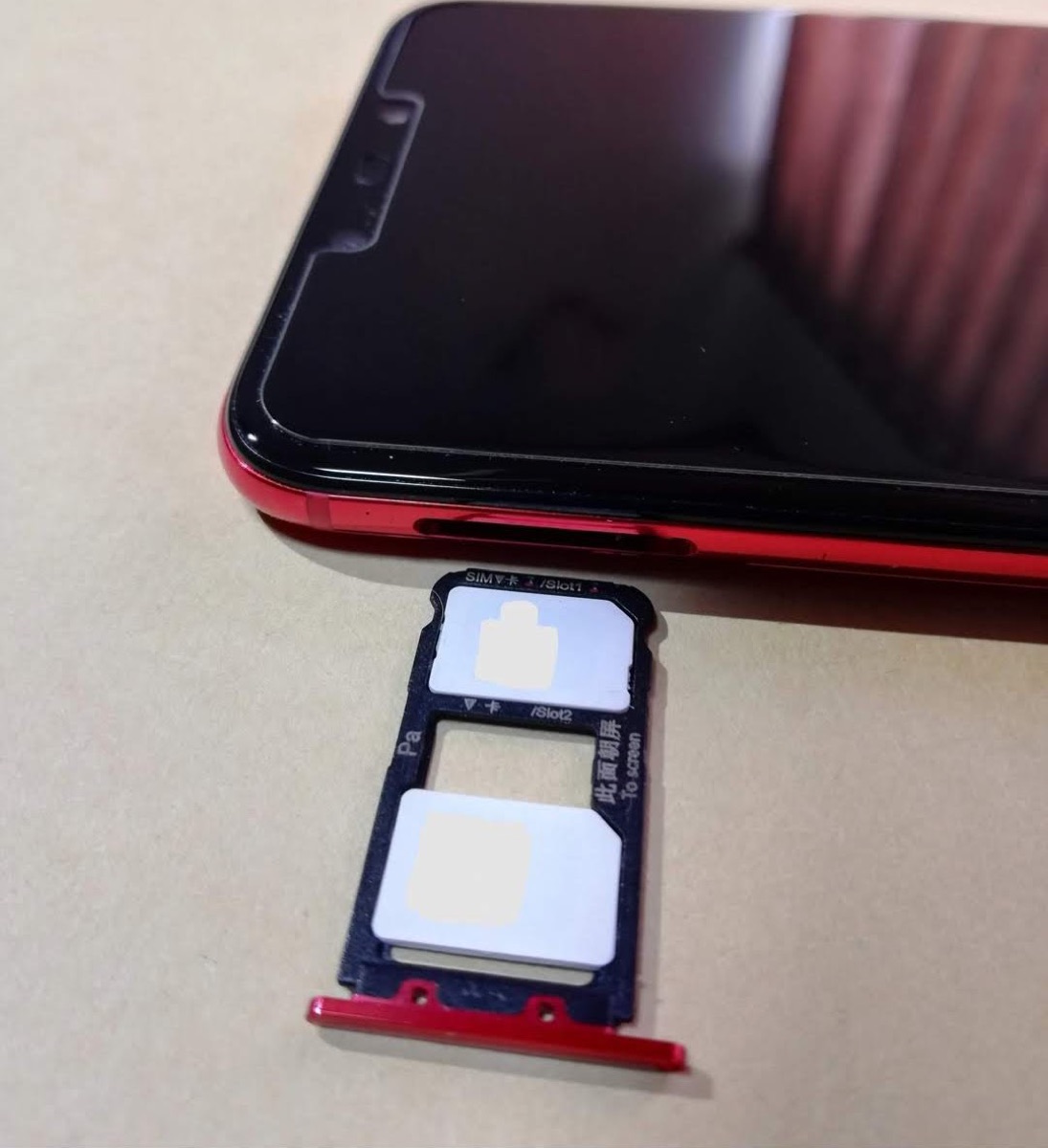

Full walkthroughs: activating an eSIM on iPhone, on Android, and the complete keep-your-number guide. Not sure your phone takes an eSIM? Run the checks in is my phone eSIM compatible? or search the compatible devices list.
When you actually want a local number
A local number earns its keep on long stays: verifying a local app, receiving delivery texts, booking restaurants by phone. Some countries make that harder than others, and we cover the two most-asked ones separately: Japan and South Korea.

FAQ
QDoes an eSIM come with a phone number?
AOnly if the carrier gives it one. An eSIM is just a digital SIM, and the phone number lives in the carrier's systems, not in the SIM format. The eSIM your home carrier issues carries your number. Most travel eSIMs, including every plan YonoSIM sells, are data-only and come with no phone number.
QAre eSIMs attached to phone numbers?
ANot inherently. A carrier links a phone number to a SIM's identity in its own network records, and it can do that for a plastic SIM or an eSIM alike. That link can move: when you switch phones or replace a SIM, the carrier re-points your number at the new SIM. A data-only eSIM simply never has a number linked to it.
QDoes a YonoSIM eSIM include a phone number?
ANo. Every YonoSIM plan is data-only: no phone number, no voice minutes. You keep your own number on your home SIM. With Wi-Fi Calling turned on for your home line, calls and texts to your usual number reach you over the travel eSIM's data connection.
QHow do I keep my own phone number while using a travel eSIM?
AOn a dual-SIM phone, keep your home SIM switched on with data roaming turned off, and set the travel eSIM as your data line. Turn on Wi-Fi Calling with your home carrier so calls and texts to your usual number still reach you over the eSIM's data. You stay reachable for calls and bank codes while paying local data prices.
QCan I receive 2FA / OTP text codes on a data-only eSIM?
AThe codes go to the number they were sent to, which is your home number, so keep your home SIM active to receive them. With Wi-Fi Calling on, many carriers deliver those texts over the travel eSIM's data. App-based authenticators do not depend on any SIM at all.
QWhen would I want an eSIM with a local phone number?
AMainly to verify a local app, receive domestic delivery texts, or make many local calls during a long stay. In those cases a local prepaid SIM or eSIM from a domestic carrier, usually registered with your passport, gives you an in-country number. For a normal one- to three-week trip, your own number plus a data eSIM is simpler.
Related guides
- What is an eSIM and how does it work?
- What is an SM-DP+ address?
- What is an EID number?
- IMEI vs EID vs ICCID
- What is an ICCID number?
- Is my phone eSIM compatible?
- Is my phone carrier-locked?
- eSIM compatible devices (full list)
- How much data do I need for travel?
- How to check data usage on iPhone and Android
- Can you hotspot a travel eSIM?
- What does airplane mode do?
- eSIM setup on iPhone and Android
- How to activate an eSIM on iPhone
- How to activate an eSIM on Android
- Data roaming on or off?
Originally published on www.yonosim.com/en/blog/esim-with-phone-number-2026 · YonoSIM — You Only Need One SIM